How to use the CID reader tool
Follow these steps to make use of our fantastic tool:
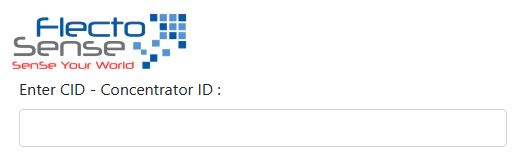
Step 1: Enter your concentrator ID
also known as the concentrator serial number. This number is reflected on the box.
Step 2: Select button to choose the sorting order of the output
RSSI Button:
Function: This button is designed to read and display the Received Signal Strength Indication (RSSI) values.
Explanation: RSSI values indicate the strength of the signal between the concentrator and the devices.
Range: The values typically range from -60, which indicates a device in close proximity to the concentrator, to -105, which suggests a device located farther away from the concentrator.
Note: It's important to acknowledge that there might be instances of duplicated values in the display.

Missing KEM Files Button:
Function: When clicked, this button will present a list of serial numbers belonging to devices that lack the necessary decoding keys.
Explanation: Devices require decryption keys, referred to as KEM files, to decode their data for security purposes.

Missing KEM Files Button:
Function: When clicked, this button will present a list of serial numbers belonging to devices that lack the necessary decoding keys.
Explanation: Devices require decryption keys, referred to as KEM files, to decode their data for security purposes.
